01 / RECORD
Start with how you feel.
Choose one of nine feelings, or mix two. A feeling alone is enough to save; add words and photos when you have more to say.
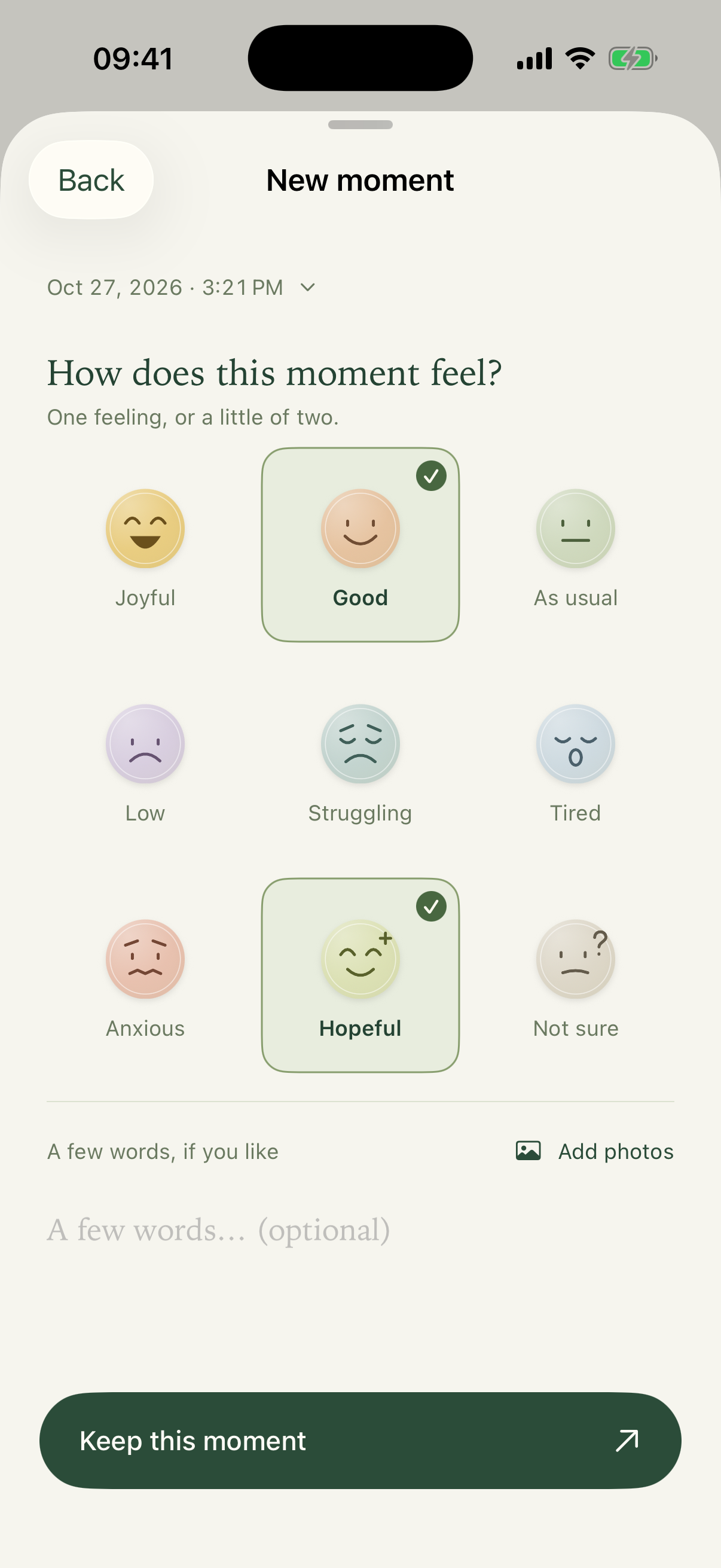
A brief moment can be a complete entry.
 daymelleMood journal
Keep an ordinary day in feelings, words and photos.
Revisit your timeline, then turn the moments you love into a page.
Native iPhone app iOS 17 or later
Happy, low, or not quite sure how you feel.
There is room to record it here.
No account needed
On your device by default
Available in 8 languages
The little things you record connect over time.
When you revisit them, a memory page is ready.
Keep it as it is, or add a little of yourself.
Choose one of nine feelings, or mix two. A feeling alone is enough to save; add words and photos when you have more to say.
A brief moment can be a complete entry.
Choose the last 7 days, the previous week or this month. Daymelle selects moments from your entries and arranges them on a page. Like what you see? Keep it.
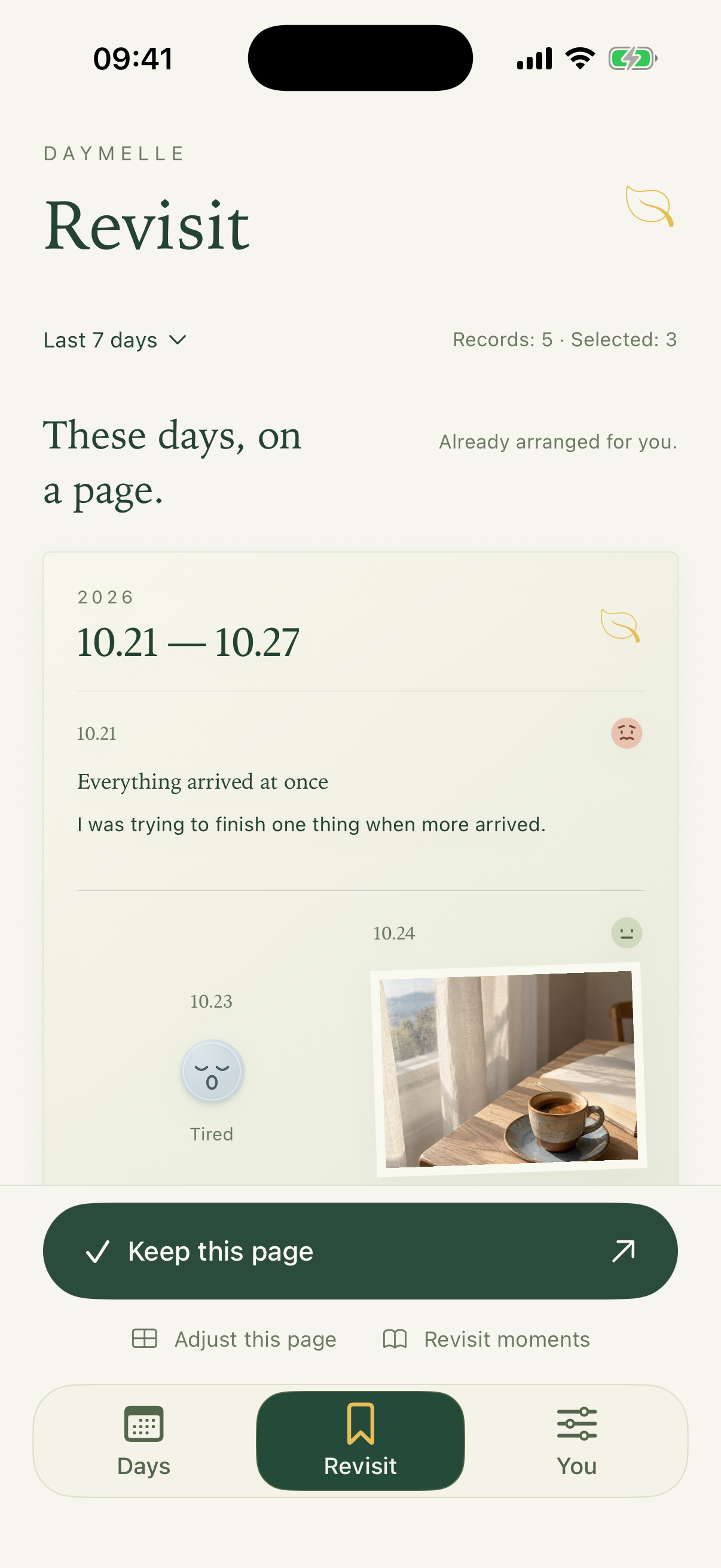
Even one feeling deserves a page.
Change a moment, choose a style, or add something you want to say now. You can edit again after saving, and export images to keep or share your memories.
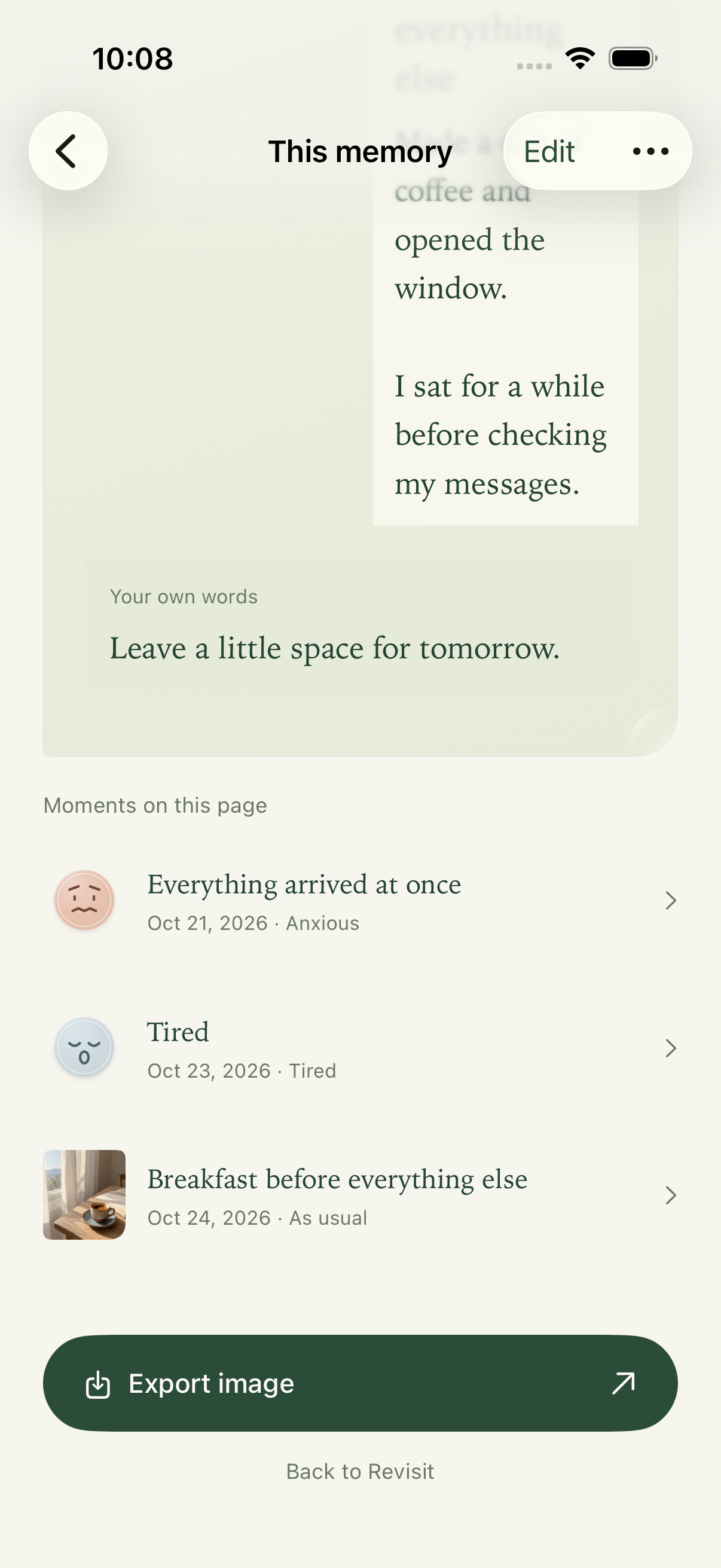
More moments flow onto more pages, with your words at the end.
These are the current native app screens in English, using separate demo data in the simulator. Select a screenshot to see it full size.
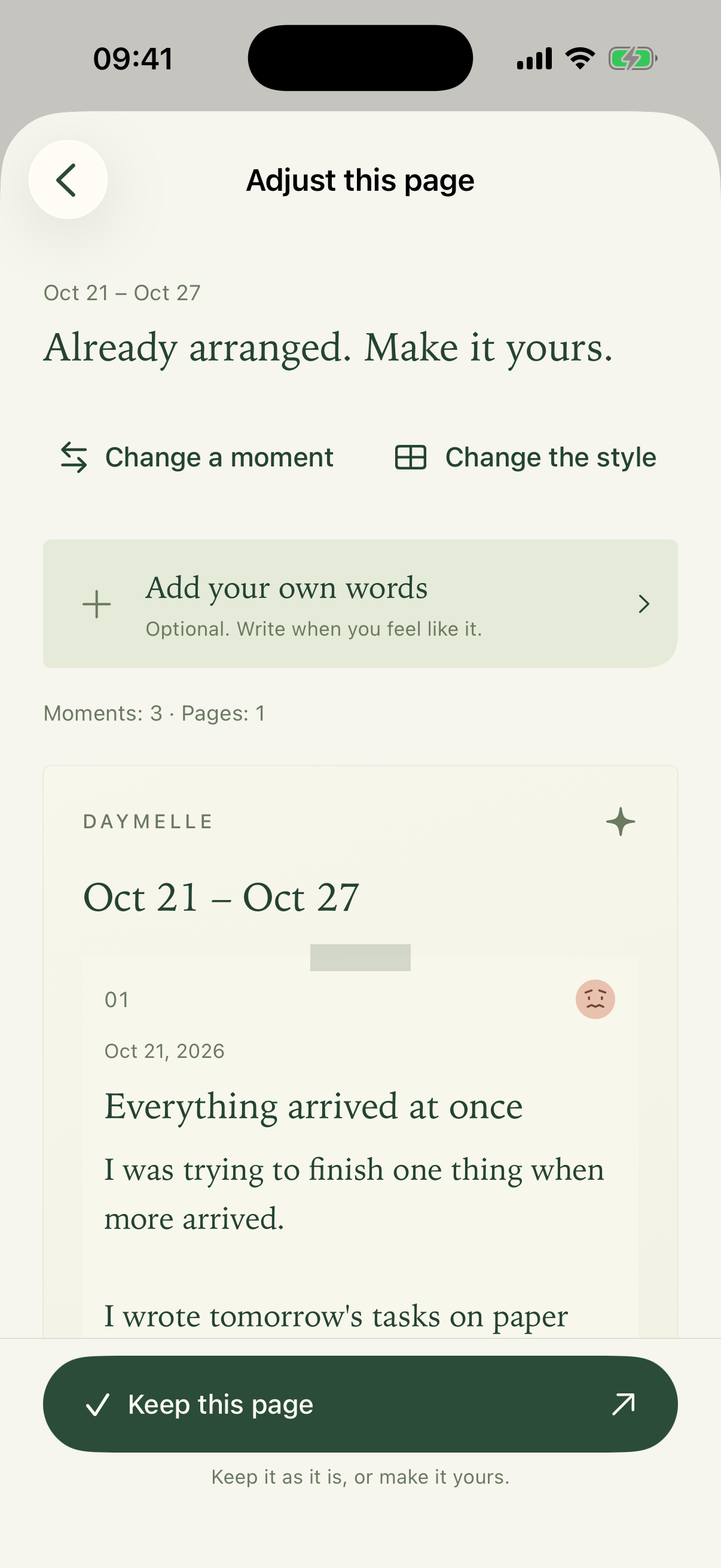
It starts with the entries you already have. You decide what to keep, and whether to add another thought.
Just want to read? Open “Revisit moments” and take your time. Reading is enough.
Read and keep pages at your own pace.
You do not have to finish writing, or figure it all out, today.
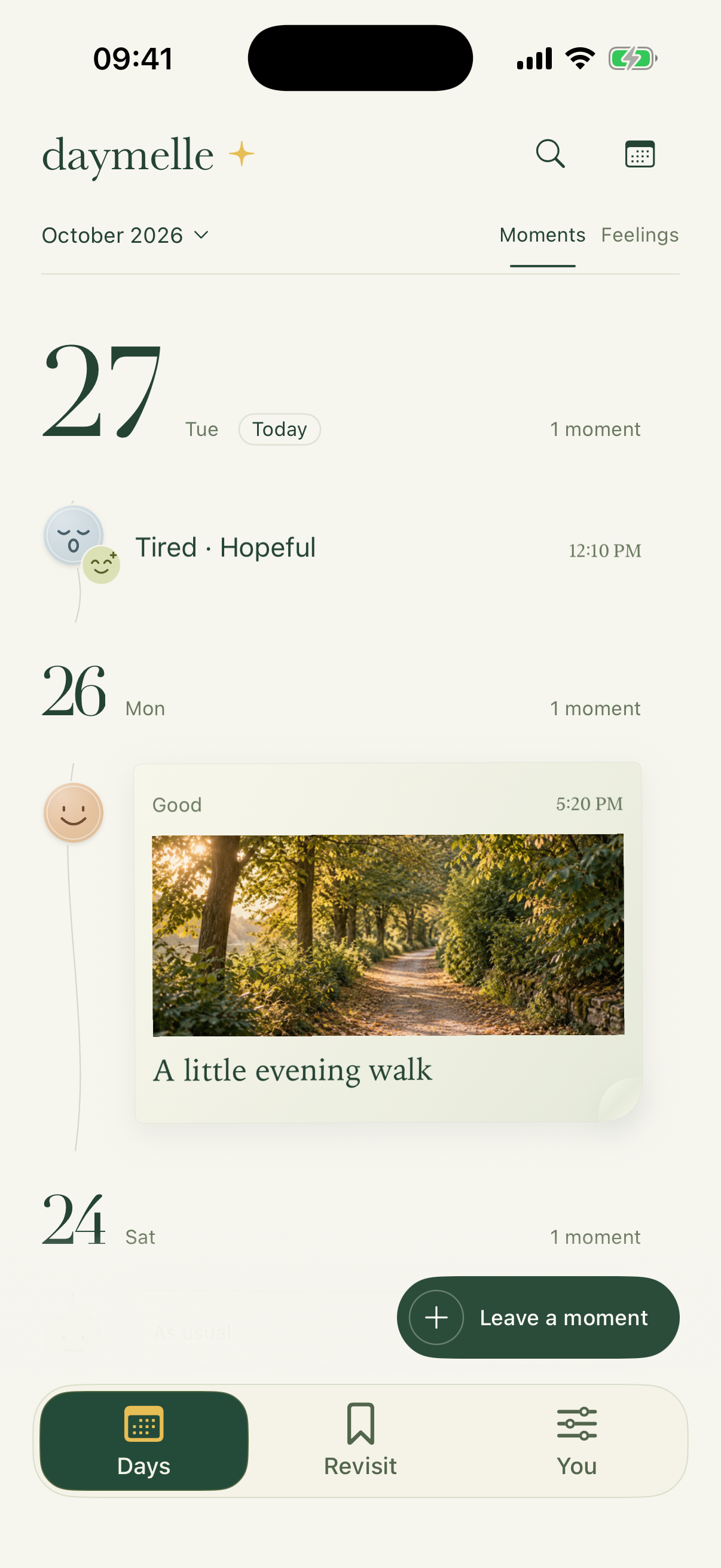
A continuous timeline brings your daily entries together. Swipe between Moments and Feelings, or use the month and calendar to find a particular day.
Save an unfinished entry as a draft. Add a past moment when it comes to mind, or use an addendum to leave a new thought with the original entry.
Available in Simplified Chinese, English, Japanese, Korean, French, German, Spanish and Traditional Chinese. Follow the system appearance, or choose light or dark.
No account needed. Your journal is stored on your device by default. The current version has no advertising or tracking SDKs; search, Revisit selections and page layouts are processed on your device.
App lockSystem device authentication protects access to the app.
Sync and backupsOptional private iCloud sync, plus separate complete .daymelle backups.
Manage and deleteRecently Deleted keeps items for 30 days; manage external copies separately.
Content may be stored outside your device when you enable iCloud sync, choose a cloud backup folder, share content or use system device backups. Deletions also sync, so sync does not replace an independent backup. Complete backup files have no additional encryption.
DAYMELLE FOR IPHONEThe App Store download link will be available after the official launch.
iOS 17 or later · iPhone